Python provides several efficient methods to retrieve the file extension from a file path. Understanding these methods is essential for developers dealing with file manipulations, as it ensures accuracy and simplifies file handling processes. This article demonstrates the use of the os module and the pathlib module to accomplish this task. We'll explore examples that illustrate both approaches and discuss the differences between them to help you choose the best method for your specific needs.
Using os Module to Get File Extension
The os module’s splitext() function can be used to split a file path into a tuple containing two values: the root and the extension. Below is a simple Python program to demonstrate this functionality.
Example Program
Here is a simple program to get the file extension in Python:
import os

# unpacking the tuple
file_name, file_extension = os.path.splitext("/Users/pankaj/abc.txt")

print(file_name)
print(file_extension)

print(os.path.splitext("/Users/pankaj/.bashrc"))
print(os.path.splitext("/Users/pankaj/a.b/image.png"))
Output
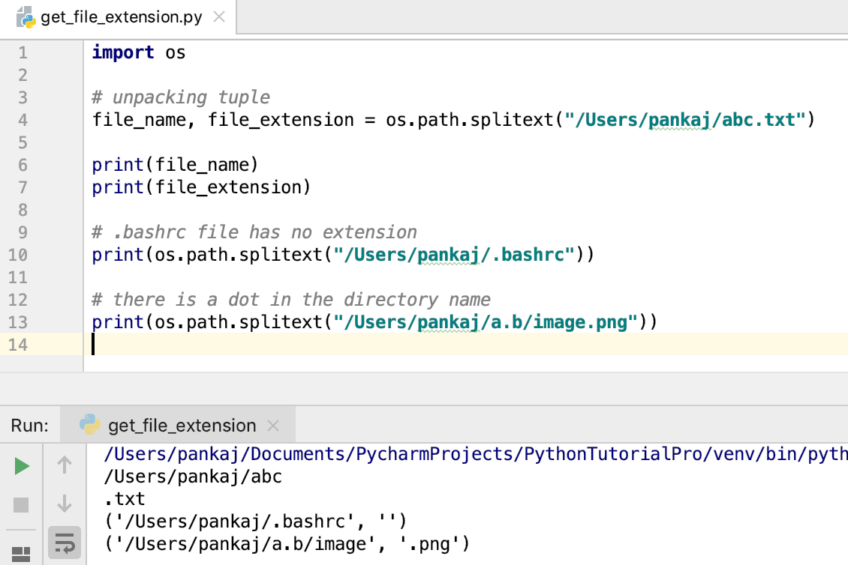 The output of the above program is as follows:
- File Extension in Python: In the first example, we unpack the tuple values directly to the two variables.
- Note that the
.bashrcfile has no extension. The dot is part of the file name, making it a hidden file. - In the third example, a dot is present in the directory name, which doesn’t affect the file extension.
Matching infrastructure at centron
Scripts and services eventually need an environment that keeps running: ccloud³ VMs from €3.11 per month, billed by the hour. Rent a cloud server →
Using pathlib Module to Get File Extension
The pathlib module, introduced in Python 3.4, provides an object-oriented approach to handle file paths. You can use the suffix attribute to get the file extension.
Example
>>> import pathlib
>>> pathlib.Path("/Users/pankaj/abc.txt").suffix
'.txt'
>>> pathlib.Path("/Users/pankaj/.bashrc").suffix
''
>>> pathlib.Path("/Users/pankaj/.bashrc")
PosixPath('/Users/pankaj/.bashrc')
>>> pathlib.Path("/Users/pankaj/a.b/abc.jpg").suffix
'.jpg'
Conclusion
Using standard methods to retrieve file extensions ensures reliability and maintainability of your code. If you’re already using the os module, the splitext() method is a straightforward choice. For an object-oriented approach, the pathlib module is more elegant and offers additional functionality for handling paths. Both methods are efficient, and selecting one depends on your coding style or project requirements. Understanding these tools thoroughly will improve your ability to write robust and adaptable Python programs for any file manipulation task.
Test your setup on ccloud³
Sign up for ccloud³ and receive €200 starting credit for your project.